
What is personalized onboarding?
When the admin and the end user see different onboarding because they are different people. Most tools cannot do this. Here is what it takes.
Why most onboarding misses the user
Four common ways onboarding ignores the person in front of it. Each one shows up in your retention dashboard a quarter later.
One walkthrough for everyone
The admin sees the same tour as the analyst. Neither feels seen. Both bounce.
Manual every account
CS rebuilds the walkthrough for each new customer. The team scales linearly. The cost scales faster.
Whole product on day one
New users get all 47 features at once. They use 8% of them and uninstall the next week.
Personas only in slides
You wrote a persona doc. Your onboarding tool does not read it. Different roles still see the same flow.
What changes when you actually personalize
Directional outcomes we see from teams running Knolbase. We do not have hard percentages yet because we are still pre case study. We do not want to make numbers up.
First real outcome
Users hit it in session 1 instead of session 3 because they skip the tutorials that do not apply to them.
Feature adoption
New features show up in the user's flow when they would actually use them. Not in an email no one opens.
Repeat questions to support
AI Q&A inside the product handles the obvious ones. Your support inbox loses the noise.
Visibility into where users get stuck
CS sees the exact step that drops users off. No guessing from session recordings.
How Knolbase actually does this
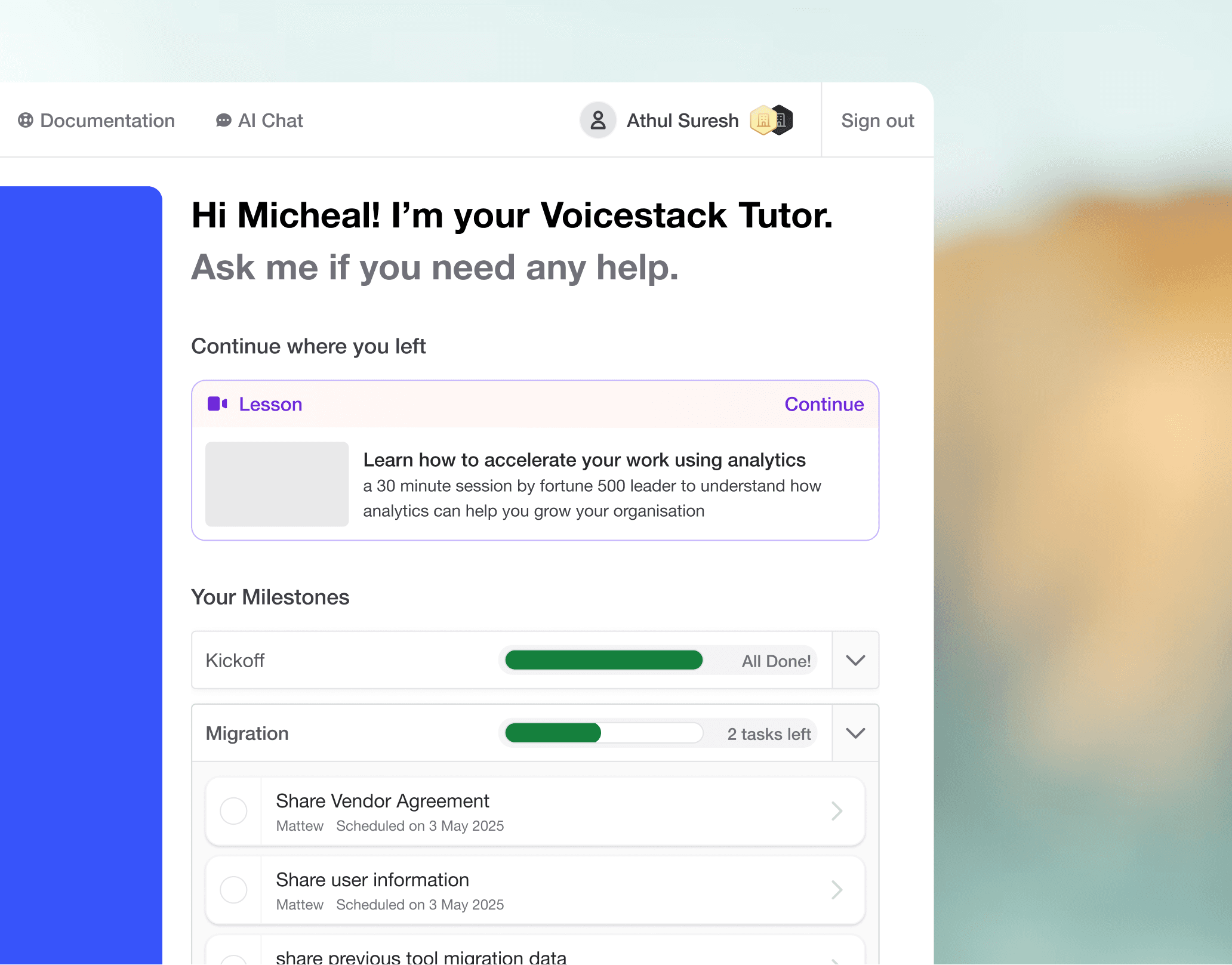
Read the user, not just the account
Knolbase reads role and account context from your CRM or auth. Admin gets one portal. End user gets another. No manual mapping per account.
- Reads roles from your auth
- Maps role to journey
- Updates as roles change
One portal per account, generated
Each customer gets a portal with their content, their setup steps, their videos. We generate it from your existing docs the day the account signs up.
- No template editing
- Pulls from your knowledge base
- Refreshes when your docs change
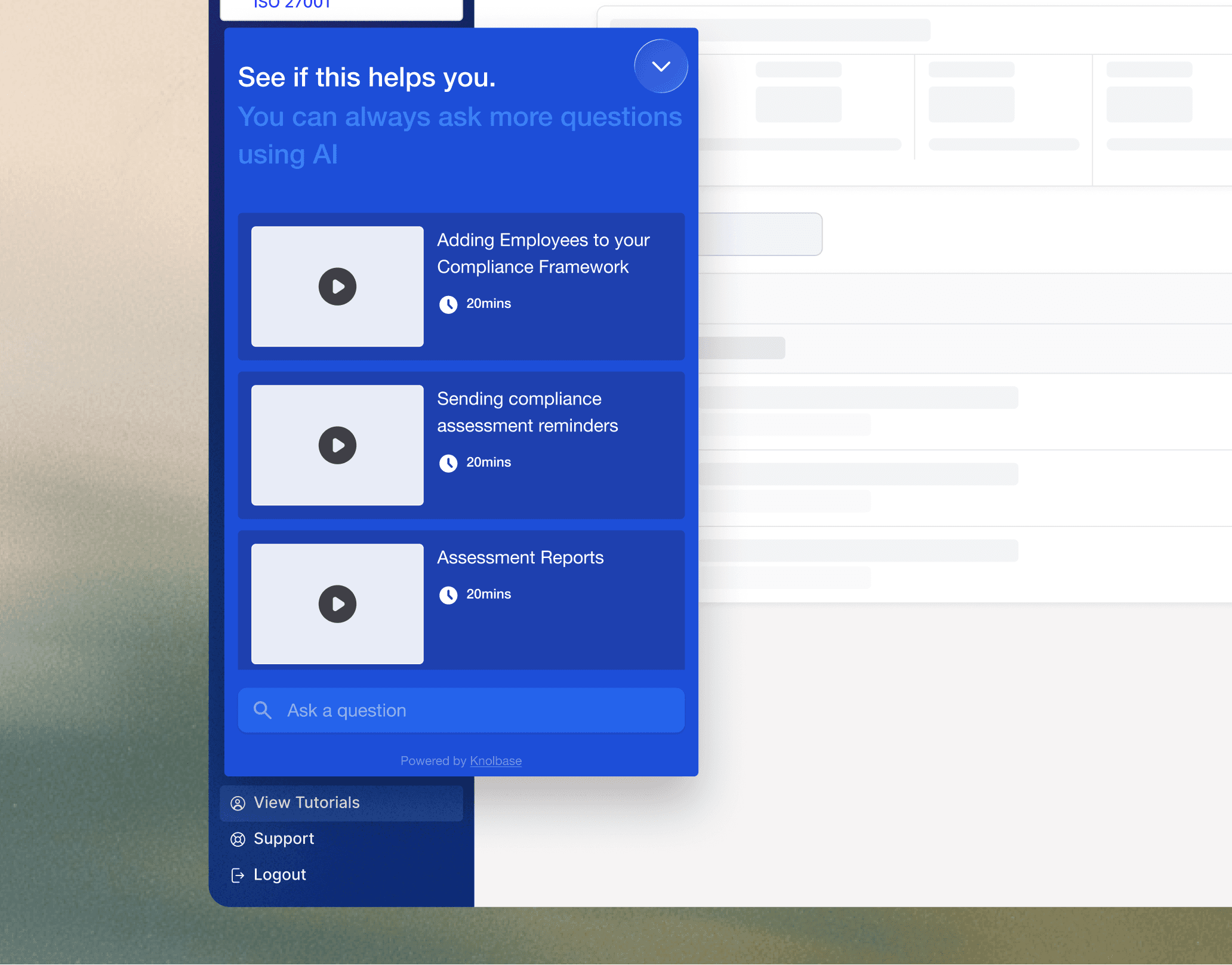
Help in the page, not in the help center
AI Q&A on the same screen where the user is stuck. They ask. They get an answer about your product, with a source. Not a generic LLM hallucination.
- Trained only on your docs
- Context aware
- Shows the source page
What works (and what we tell teams to skip)
Teams shipping personalization for the first time over engineer. These four moves are the ones that actually matter.
Segment by what they will do, not who they are
The job title tells you nothing useful. What workflow they need to run on day one tells you everything.
Example: A finance director using your product to approve workflows needs a different onboarding from a finance director using it for reporting. Same title, different onboarding.
Show feature 1 well before feature 5
Most users will not use feature 5 for months. Stop putting it in onboarding.
Example: Slack does not introduce huddles in the welcome flow. They introduce them after you have used Slack for two weeks and the feature lands.
Help where the user is stuck, not in the help center
Pull the help to the user. Do not push the user to the help.
Example: User clicks the same Save button 4 times with no result? Show the integration setup video right there, in the page. Not in /docs/integrations.
Watch the drop-off, then fix the step
Most teams do not know which onboarding step kills the funnel. They tweak the copy on the welcome email instead.
Example: Drop-off from step 3 to step 4 is 40%? Step 3 is broken. Fix step 3. The copy on the welcome email is not the problem.
Where personalized onboarding actually ships.
AI Onboarding Portals
Standalone onboarding portals, generated from your content
AI Chatbot
The answer layer for your product
Customer Onboarding
Activate every account without scaling headcount
Best Onboarding Software in 2026
12 top onboarding tools compared, with pros, cons, and pricing
See this work on your product
30 minute call. We generate a portal for one of your real accounts, live. No prep on your side. If it does not feel useful after 15 minutes, we end the call early.