
One onboarding portal per account, generated.
Onboarding teams use Knolbase when implementation timelines start showing up on the renewal risk dashboard. We turn the docs you already have into a portal per account, the day the account signs up.
Your users are stuck at "What's next?"
You ship webinars, tutorials, spreadsheets, in person sessions. They still email your CSM asking the same questions.


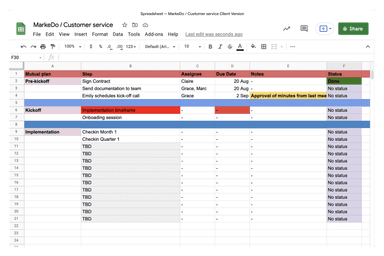

Stop rebuilding the same onboarding for every account. Let Knolbase generate one per account, from content you already have.
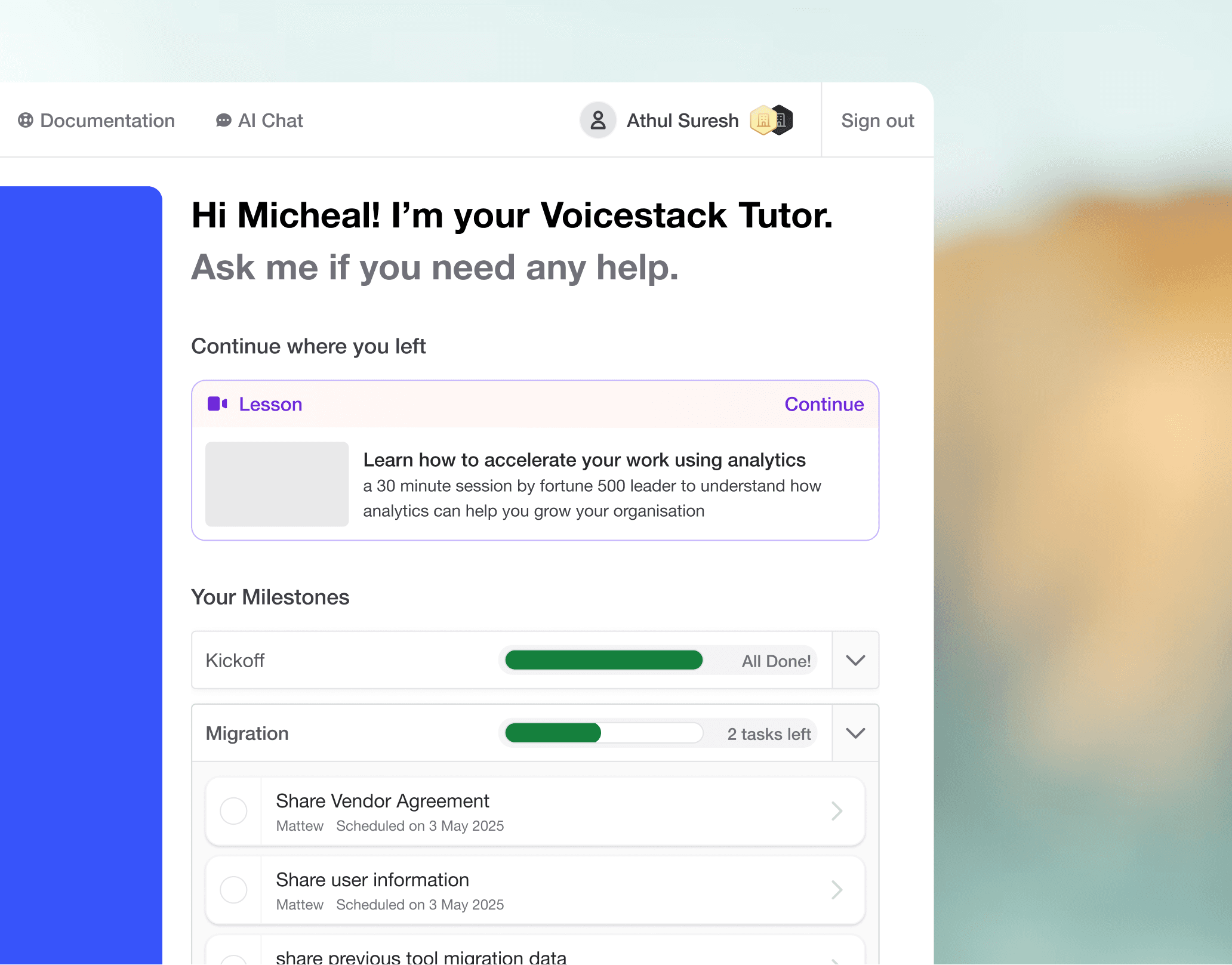
One portal per customer account
Each account gets its own training portal with videos, tasks, and progress tracking. Generated automatically from your existing docs the day the account signs up.
- No template editing per account
- Tasks tied to actual milestones
- Progress visible to user and CSM
Course generation from your existing content
Point Knolbase at your Notion, your Loom links, your help center. We turn them into role specific courses without you rewriting anything.
- Pulls from your knowledge base
- Splits by user role
- Refreshes when source docs change
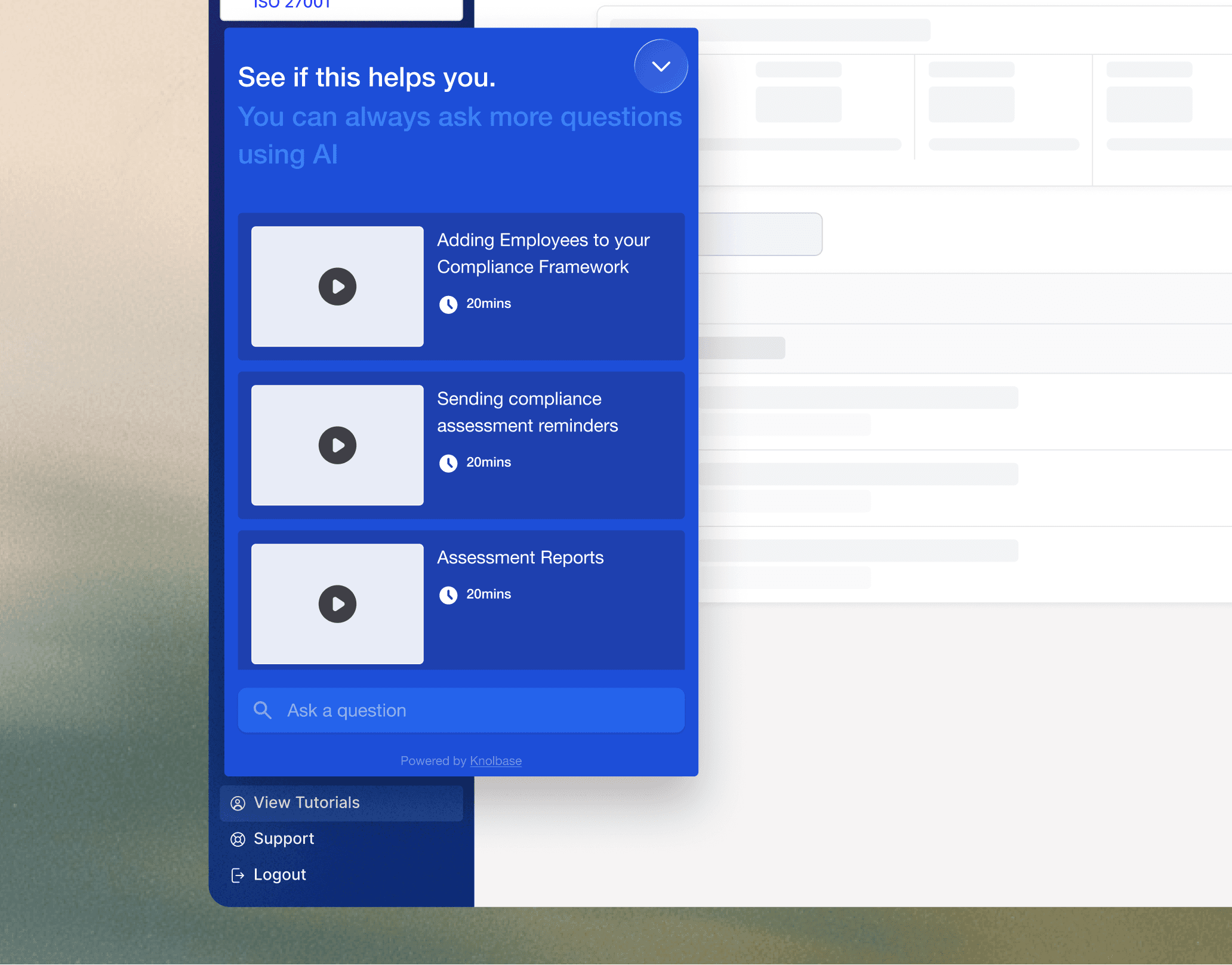
Distribute the same content 4 ways
Embed inside your product. Share as a public link. Drop into emails. Surface in the chatbot. One content source, many delivery surfaces.
- In product widget
- Standalone portal link
- Email and chat embeds
How onboarding teams use Knolbase
If your team owns implementation timelines and they keep slipping because every new account needs a custom walkthrough, this is the pattern most Knolbase customers follow. It is not the only way to use the product, but it is the one that gets onboarding teams out of the bottleneck the fastest.
Still evaluating tools? See our roundup of the best product onboarding software in 2026 for a side by side comparison of 11 platforms.
One portal per account, generated from your existing content
The day an account signs up, Knolbase generates a portal with the videos, docs, and tasks that account actually needs. The CSM does not pick from a template. The portal is built from your knowledge base, scoped by the user's role and the account's configuration.
Pulls source content from Notion, Loom, your help center, Confluence, or whatever you already have
Maps role to journey (admin sees setup, end user sees workflow training)
Updates when your underlying docs update. No manual portal refresh.
In product help where the user is stuck
Embed Knolbase’s widget in your product. When a user gets stuck on a screen, they ask the widget. They get an answer about your product, with the source page linked, in 2 seconds. They do not file a support ticket. Your CSM does not get paged.
Q&A tied to the current screen, not a generic chatbot
Nudges users through stuck setup steps without a CSM touching the account
Trained only on your docs, so it cannot hallucinate features you do not have
Analytics that point at the broken step
Most onboarding tools tell you how many people completed the tour. Knolbase tells you which step kills the funnel. If 40% of users drop off between step 3 and step 4, step 3 is broken. Fix step 3. Re-measure next week.
What this looks like in your dashboard:
Completion rate per step, per persona, per account
The exact screens users ask questions on, ranked by frequency
A list of stuck users right now, so CSM can intervene before churn
Net result for onboarding teams running this setup: implementation cycles shorten, the same team handles more accounts without dropping the personal touch, and the renewal risk dashboard stops being a surprise.
Tools, use cases, and guides for onboarding teams.
Customer Onboarding
Activate every account without scaling headcount
AI Onboarding Portals
Standalone onboarding portals, generated from your content
What is personalized onboarding?
How persona-based onboarding lifts activation and retention
Best Onboarding Software in 2026
12 top onboarding tools compared, with pros, cons, and pricing
See it run on your product
30 minute call. We generate a portal for one of your real accounts, live. No prep on your side. If it does not feel useful after 15 minutes, we end the call early.